SmartScanner v3.1
Download SmartScanner Free
AI-powered web application security scanner. No signup, no credit card, no friction.
SmartScanner is being downloaded...
Free edition
- No signup
- No credit card required
- No ads
- No data collection
- Regular updates
Download for Free
Windows 64-bit
Latest release
What's new in version 3.1
- MCP Security Testing
- PHP2Shell Detection
- Expanded Vulnerability Detection
Windows desktop app
SmartScanner runs on Windows desktop. It seems you're not using your desktop browser, please visit on your desktop to download.
Download anywayRun Your First Scan
- Download
- Install
- Scan
Install SmartScanner
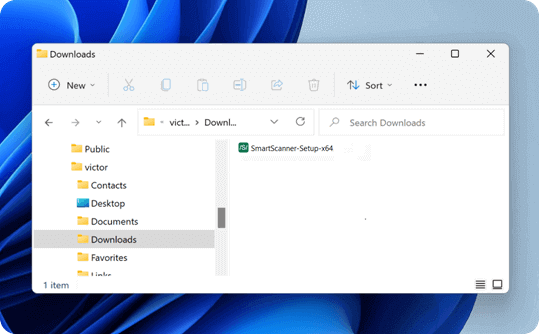
- 1Open your browser's Downloads folder and find SmartScanner-Setup-x64.exe.
- 2Double-click the installer, approve the Windows prompt if asked, and follow the setup instructions.
- 3Launch SmartScanner from your desktop or the Windows Start menu.